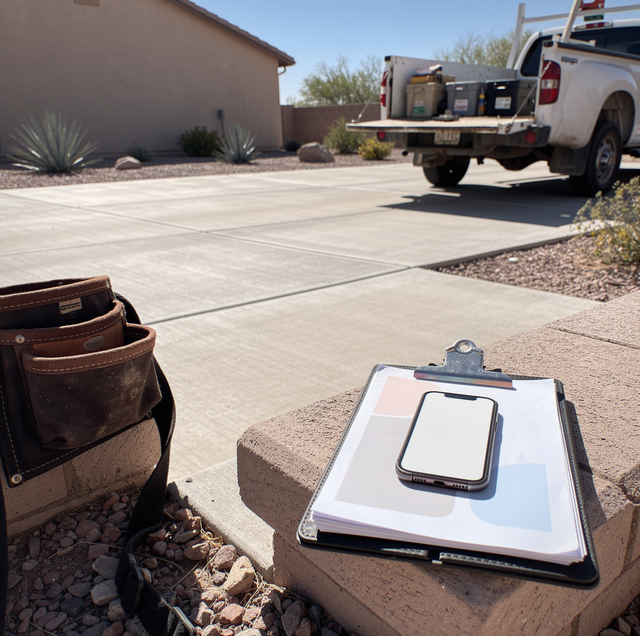
The invoice is signed, the customer is smiling on the porch, and the truck is halfway loaded before anyone thinks about the review. By the time someone on your team remembers to send a link, the job has faded into "that one from last week," and the request lands in an inbox alongside other items competing for attention. The customer was happy; the review was lost because nobody built asking into the job the way scheduling and invoicing already are.
Why the Ask Has to Be Built Into the Job
A satisfied customer rating you five stars in their head is not the same thing as a five-star review sitting on your profile. The gap between those two is friction: remembering to ask, finding the right link, opening an app, and typing something. Every one of those steps is a place a busy person quits. A profile that only picks up a review when a customer happens to think of it on their own has no schedule behind it at all. A profile with a repeatable ask built into the job does.
Treat the ask the same way you treat collecting a signature or sending an invoice: a defined step, assigned to a specific person, with a specific tool, at a specific point in the job.
Step One: Ask While the Work Is Still in Front of Them
The moment to ask is before the truck leaves the driveway, not after the invoice email goes out. Right after the customer walks the finished work with you, while the satisfaction is still an active feeling, is the moment the ask has their full attention: a plain mention that a Google review helps other homeowners find the business, said on the spot, plants the expectation that a follow-up link is coming.
Waiting until the next day, or bundling the ask into a generic post-job survey sent a week later, hands the moment to whatever else is competing for that customer's attention. The job that felt urgent and specific in the driveway is, a week out, just one more line item they do not remember clearly enough to write about.
Step Two: Assign Who Actually Sends the Request
A request that depends on someone remembering after a busy day is the one that gets missed. Decide, in writing, who triggers the ask and when: the technician verbally plants the idea on-site, and the office sends the actual link the same day, tied to the closed ticket rather than to memory. Some shops build the review link into the automatic text or email that already goes out when a job is marked complete, so the request rides along with something that was going to be sent anyway instead of being its own extra task nobody owns.
Tie it to the ticket: whoever closes the ticket in your scheduling or invoicing software is the trigger point, and the request goes out from that same action, every time, regardless of who worked the job.
Step Three: Send the Direct Review Link
Telling a customer to search the business name on Google and find the review box asks them to do work: open a browser, type the name correctly, pick the right listing among similarly named competitors, and locate the click point. Each extra step is a place that intention quietly stalls. Your Google Business Profile has a built-in short review link, generated specifically for your listing, located under the profile's review-request tools, that drops the customer straight into the review box with no searching required.
A QR code built from that same link works well for anything in person: a card left on the counter, a sticker on the invoice, a sign in the truck. The customer points a phone camera at it, and the review screen appears directly, skipping the search steps a typed instruction would require.
Test your own review link on a phone that is not logged into your business's Google account. If it does not open straight to your listing's review box, regenerate it from your profile before sending it to another customer.
Step Four: Write a Message That Removes Every Excuse
A message that just says "please review us" gives a distracted reader nothing to hold onto. A short, specific note gives them something to act on: name the job, thank them by name, and keep the ask itself to a sentence or two. Something close to a thank-you for the specific work done that day, followed by a plain ask for a quick Google review with the direct link attached, is enough. Naming the actual work reminds them what they are reviewing and supplies the first line of it.
Keep the message short enough to read in one glance on a phone screen. A long paragraph explaining why reviews matter to your business reads as a favor being asked of them; a short, warm note reads as a courtesy extended to the next homeowner in their position.
Step Five: Follow Up Once, Then Stop
If the first request goes unanswered, one polite reminder a few days later is reasonable: intentions to leave a review get buried under the rest of a person's week, and a single nudge can catch the customers who meant to and forgot. Repeating the request beyond that stops reading as helpful and starts reading as pressure, which works against the goodwill the job itself earned. Send the one reminder, then let it go and move on to the next job's request.
What Not to Do: Gating and Incentives
Two shortcuts show up the moment the review count feels slow, and both are against Google's own review policies, not just bad optics. The first is gating: sending a satisfaction question first and letting the answer decide who receives the review link, so only the customers who answer well ever see the public request. That screens out real feedback and leaves a profile that looks one-sided rather than earned. The second is offering anything in exchange for a review, including a discount, a gift card, or an entry into a drawing, which Google's policies classify as an incentivized review regardless of how it is framed. Google's guidelines are explicit that businesses should not filter who is asked based on the answer they expect, and should not pay for or trade reviews.
Ask every customer the same way, whether the job went perfectly or had a hiccup you already fixed, and let the occasional imperfect review stand on the profile. Doing both keeps you clear of the policy line that gating and incentives sit right on top of.
Frequently Asked Questions
Not for a minor edit on the same profile: the short link points to the listing rather than to its name. A major rebrand or a move can be treated as a new listing, so test the link after any big change and copy a fresh one from the profile if it no longer opens the review box.
The link takes them to a Google sign-in screen first, before it lets them post, and that sign-in step is a reason a customer who agreed in person sometimes never finishes the review: they get interrupted there and never come back to it. Mentioning that a Google sign-in may appear first can reduce that drop-off.
Send it from the business's own number or email tied to the business profile, not an individual employee's personal account. If a customer replies with a question or a complaint instead of leaving the review, that reply thread lands with the office rather than sitting unseen in one technician's personal phone.
No. Google's review count only reflects reviews posted directly on your Google Business Profile, and review pools on other platforms are entirely separate and do not transfer or combine.
Functionally, both open the same review box. The practical difference is that a review posted via a scanned QR code cannot be traced to the specific card, sticker, or sign the customer used, since the link itself carries no source tag. A separate tracked short link for each placement shows which one gets scanned, though not which scan turned into a posted review.
Yes, when the jobs are truly separate: a plumbing repair in spring and an unrelated water heater install in fall are each a real, distinct customer experience. Asking the same customer twice about the same single job, through two different employees, is the pattern that starts to look like pressure rather than two honest requests.
Get a review-generation workflow set up — one that sends the direct link from every closed ticket instead of depending on memory. Green Thumb Local helps home-service businesses get found, get chosen, and get more calls with local SEO, Google Business Profile optimization, and content. Call (480) 360-0101.
